Which ChatGPT Alternative Is Best for Mixed Media Images, Audio, and Video?
When it comes to AI assistants capable of handling mixed media — think images, audio, and video — the game is shifting fast. OpenAI’s ChatGPT and the latest GPT-4o model have set the bar high, but if you’re juggling projects that require more than text, you’ll want to seriously consider alternatives that give you breadth and depth at reasonable prices. Spoiler alert: price points, context limits, and verifiable outputs matter—and the hype doesn’t cut it when you need consistent, practical results.
Why “Fit” Beats “Hype” for AI Assistants
Every week, I test the latest AI assistants, and one pattern jumps out almost every time: the flashiest tool on the market isn’t always the best fit for your actual workflow. It’s tempting to chase “the next ChatGPT,” but if your work involves summarizing mixed media or researching with citations, you need AI suited to your day-to-day tasks, not just flashy demos or buzzwords.
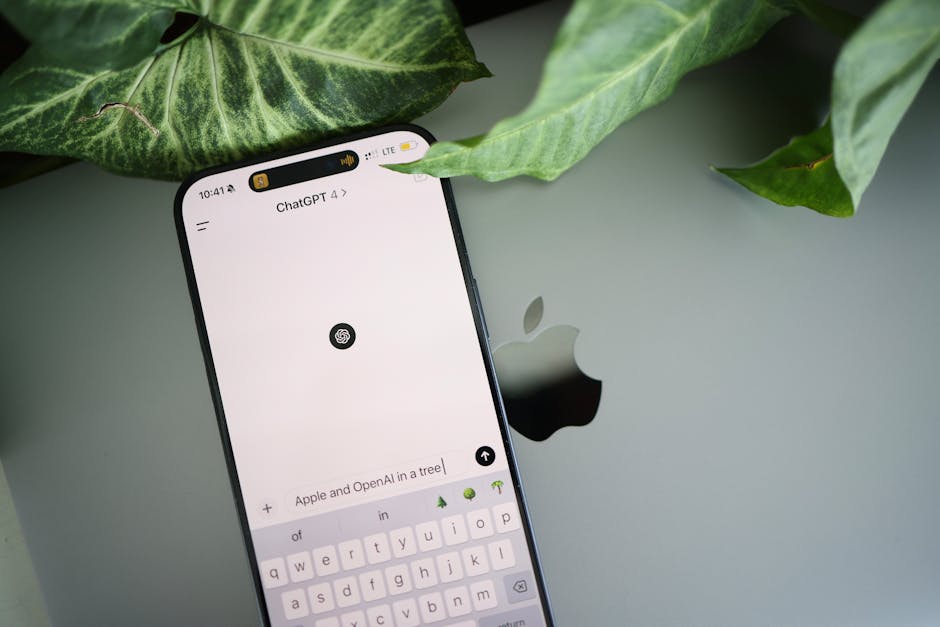
For example, many AI assistants promote incredible multimodal capabilities. Google’s Gemini Multimodal and OpenAI’s GPT-4o both process images, text, and audio to some degree—but the devil is in the details: context length, pricing, and how well the models integrate with tools like Google Docs or Gmail to streamline your workflow without constant tab switching.
What to Watch for When Choosing AI for Images, Audio, and Video
- Mixed Media Support: Can the AI actually analyze and synthesize visual, audio, and video inputs effectively? Some models tout multimodal skills but work best with images only or just basic audio.
- Long Context Windows: If you’re reviewing hours of video transcripts or large research documents, you need AI that can hold more than a few thousand tokens without forgetting the thread.
- Pricing and Limits: Free tiers feel generous until you hit daily caps or low message limits. For serious mixed media projects, a modest monthly fee like Claude Pro’s $20/month (which unlocks 5x more messages) can be a game changer.
- Verifiability and Citations: Especially in research or business contexts, you want sources, citations, or at least transparent confidence levels about generated data.
- Integration with Document Workflows: AI tools should complement apps like Google Docs and Gmail — imagine summarizing long email threads or rewriting complex documents without juggling copy-paste sessions.
Spotlight on ChatGPT and GPT-4o
OpenAI remains the dominant household name because ChatGPT is widely accessible and supports multimodal inputs through the GPT-4o version. GPT-4o can parse images alongside text and can generate captions, explanations, or analysis in a conversational way. It’s great for tasks like quick image captioning or understanding charts embedded within reports, and as OpenAI improves it, video and audio handling are coming along.
However, ChatGPT users should be aware of daily message caps and relatively tight token limits when using the free tier or lower subscription levels. This can frustrate users needing deep dives into long media-rich documents, especially when working with formats like video transcripts or lengthy audio discussions.
Pros of ChatGPT and GPT-4o
- Wide availability and well-polished natural language capabilities.
- Effective handling of images in chat (with GPT-4o).
- Seamless integration with other OpenAI tools and a rich developer ecosystem.
Cons of ChatGPT and GPT-4o
- Daily message limits on free and standard tiers can hinder heavy mixed-media workflows.
- Context window can feel constraining when working with long videos or large multimedia projects.
- Limited direct audio and video processing (mostly via transcripts/formatted text inputs).
Claude Pro: A Practical Alternative for Heavy Users
If you require more messages per day and a tool less restricted by hard daily caps, Anthropic’s Claude Pro is worth a look. At $20/month, it unlocks 5x more messages compared to its free version, making it stack up well for mixed media projects where you’re summarizing audio or video transcripts repeatedly.

Claude’s AI shines for long-form document review, offering a thoughtful, less “hallucination-prone” tone when dealing with dense research materials. It integrates fairly well with editorial workflows, making it a subtle but effective choice if your use case includes rewriting or summarization tasks in Google Docs or Gmail threads.
Claude Pro Highlights
- Affordable upgrade path with significant message increases.
- Strong performance on summarization — great for podcasts or video transcripts.
- Less aggressive on aggressive token limits—even for long documents.
Limitations
- Multimodal inputs (images, audio, video) are less developed compared to GPT-4o.
- No direct in-app support for multimedia upload — focus is more text-centered.
Google’s Gemini Multimodal: Promising but Still Emerging
Google’s Gemini Multimodal is an ambitious player targeting AI for images audio video in a single model. Early tests suggest it can handle photos, diagrams, and audio snippets with growing sophistication. For users who want tight integration with Google’s workspace — especially Google Docs and Gmail — Gemini is a natural fit for streamlined summarization and rewriting workflows.
For example, Google Docs already features AI-assisted summarization and rewriting tools that connect with Gemini under the hood, and Gmail offers AI-powered thread summarization that trims long email chains into digestible notes. This integration reduces tab swapping and manual copy-pasting — a priority for anyone serious about efficient content review.
Gemini Multimodal Strengths
- Deep integration with Google Workspace tools.
- Recognizes and analyzes complex visual and audio input.
- Large context windows to handle long documents and email threads.
Areas to Watch
- Still ramping up general availability and pricing details.
- Multimedia processing capability is evolving but not yet turnkey for all video/audio tasks.
Putting It All Together: How to Choose Your Mixed Media AI Assistant
Let’s recap the key points with a practical lens:
AI Assistant Price Model Mixed Media Strengths Context Window Integration Highlights Best Use Case OpenAI ChatGPT (GPT-4o) Free tier + paid plans; token limits apply Strong for images and text; emerging audio/video support Medium (up to ~8,000 tokens in GPT-4o) Strong API ecosystem; less direct Google Docs integration General purpose multimodal chat and research Claude Pro $20/month for 5x message unlock Text-heavy workflows with strong summarization, less for images/audio/video Large context (long documents) API-based workflows; supports Google Docs/Gmail through extensions Heavy document and transcript summarization Google Gemini Multimodal Coming soon, integrated into Google Workspace Multi-format inputs (image, video, audio) with deep workplace integration Very Large (document and email thread handling) Native Google Docs & Gmail AI features Workspace-centric content review & editingFinal Thoughts: Avoid Frustration by Prioritizing Real Fit
Choosing AI for mixed media images, audio, and video is like picking the right kitchen tool. A Swiss Army knife of AI can do many things perplexity vs chatgpt pricing but may not excel at one. If your work is documentary-heavy, prioritize AI with long context windows and message capacity—Claude Pro’s $20/month is honest about that. If you rely on Google Docs or Gmail daily, the seamless integration of Gemini’s multimodal tools could save countless clicks.
Hype around AI capabilities is fun, but messages caps, daily limits, and how well an AI fits into your existing workflow matter far more once you leave the demo room. Based on my hands-on testing and weekly deep dives into these tools, my advice is to test your typical mixed-media project end-to-end, watch out for daily rate limits that choke your process, and lean toward assistants willing to show sources or citations if you want trustworthy research help.
In this mixed media AI race, OpenAI, Anthropic, and Google all bring serious strengths. The best choice is the one that fits your work habits, respects your time, and supports the media formats you depend on—because no AI is truly useful if it keeps making you jump through hoops.
Looking for more hands-on AI reviews? Stay tuned on Tech Brewed for straightforward, no-fluff insights that keep your work efficient and your tech savvy best open source chatbot sharp.